




I’ll admit something that took me years to work out, which is that most agency care plans, including the first ones I sold, run on the ol’ empty gym membership model. 😅
The gym wants as many members signed up as possible, and it wants the gym itself as empty as possible, because every member who turns up costs money to serve.
I used to think that was the dream. A client on a retainer who never got in touch felt like easy money, a few plugin updates a month in exchange for a payment that showed up whether I did anything else or not.
It took me far too long to realise that the quiet client is the one you are about to lose.
They are paying you every month, they cannot see what they are getting for it, and the first time somebody in their business goes looking for costs to cut, your line item is the easiest one on the whole list to justify killing. We call these plans insurance when we sell them, and if you ask the client six months in, a lot of them will tell you they are paying a tax.
So this post is the version of care plans I wish someone had handed me back then.
- What goes into the plan
- What to deliberately leave out
- How to price the tiers using real numbers instead of guesswork
- How to sell it so it lands as value rather than as an add-on
- How to run it across ten, twenty, or fifty sites without hiring anyone
I owe a shoutout to two friends here, Troy Dean and Kristina Romero, both of whom have been teaching this to agency owners for years.
Why website care plans stall for solo builders and small agencies
Let’s do the boring arithmetic first, because it explains almost everything about why maintenance plans stop scaling at exactly the point they start working.
Say you are running six client sites on a basic plan. Every one of them needs the same handful of things every month:
- WordPress core, plugins and themes checked for updates
- A backup verified, not just run
- A security scan reviewed
- A quick visual pass to confirm nothing broke after the updates
- A short report written up at the end
Call it forty minutes of genuine attention per site when nothing goes wrong. Across six sites that is four hours a month, and that is before a client emails asking you for a “small” change.
Now triple the client count, which is the whole point of building recurring revenue in the first place, and you are at twelve hours. At thirty sites you have given away half a working week, every month, to work the client will never see and would struggle to describe if you asked them.
So the plan that was supposed to buy you stability starts eating the development hours you were going to use to earn more of it, and the natural response is one of three things.
- You raise your prices, which is hard to justify when the client cannot see the work you are already doing.
- You hire someone, which is expensive, and now you have a payroll built on top of your lowest margin service.
- You stop doing the work properly, which is what most of us end up doing by accident, and it is how client sites get hacked.
The mistake underneath all three is treating the plan as a set of chores you perform, when your client is actually paying for someone to watch their site and take accountability.
What belongs in a WordPress maintenance plan
Here are six things I always include in a maintenance plan:
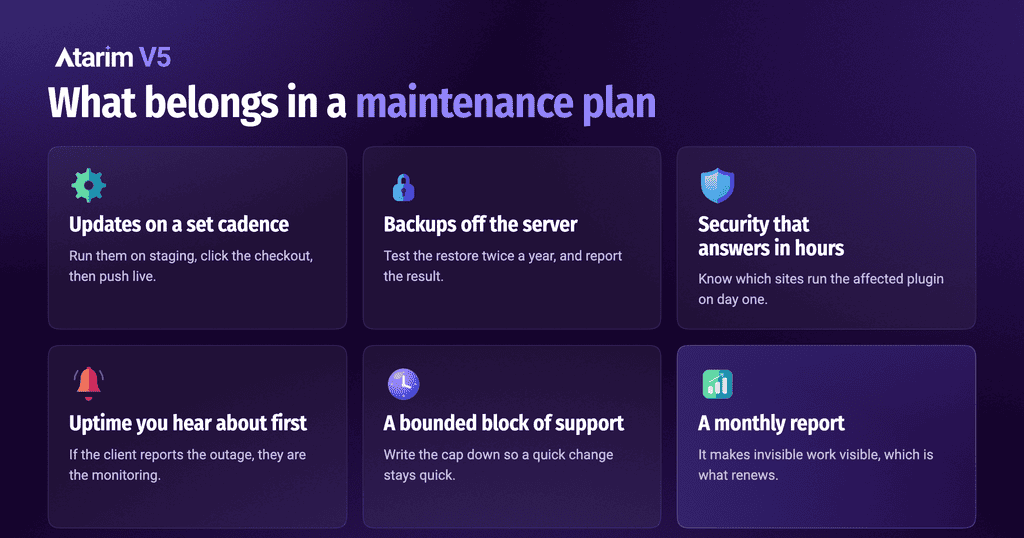
- Updates on a defined cadence, tested somewhere that is not the live site.
Your client can hit “update all” in a few seconds. What they are paying you for is the confidence that nothing breaks when you do, and you cannot offer that from the live site. Run the updates somewhere safe first.
That means a staging copy of the site, one nobody else can see, where you update everything and then click through whatever actually makes them money. Checkout, contact form, booking flow. If it all still works, you push it live. Most hosts give you a one-click staging site these days, so this is less setup than people assume.
- Backups stored off the web server, with a restore you have run at least once.
Everybody lists backups on their care plan. Almost nobody can tell you the last time they restored one and checked it worked.
So put a restore test on your calendar twice a year, run it, and write the result into the client’s report. Twelve months is long enough for a host to change its backup tooling, a PHP version to move, or a site to migrate, and for the restore path to quietly stop working without anyone finding out. “We tested your disaster recovery in March and the site came back clean in eleven minutes” is one of the few maintenance lines a non-technical client understands straight away, because they can picture it.
- Security that responds in hours rather than at the next scheduled update.
Most care plans cover scanning and a firewall and stop there. The part that actually saves you is knowing, on the day a disclosure lands, which of your sites are running the affected plugin. When the LiteSpeed Cache bug went public last year, agencies that had that list were patched before lunch. Everyone else found out when a client called.
- Uptime monitoring where you find out before the client does.
This one is almost free to set up and it changes the emotional shape of the relationship, because the client who calls you to report their own site is down has just learned that they are the monitoring system.
- A bounded block of support time.
Most agencies land somewhere around thirty to sixty minutes of small edits on an entry tier and one to two hours on a mid tier, and the number matters far less than the boundary being written down, so that a “quick change” cannot quietly turn into an unpaid redesign.
If a client blows through the cap three months running, that is not a problem, that is a signal to move them up a tier.
- A monthly report that makes the invisible work visible.
Send them a report every month: updates applied, backups taken, what the scans found, uptime, how the site’s performing, and how many of their included edits they’ve used up. It’s the cheapest thing you can do to keep a client.
Almost all of this work happens somewhere they’ll never look, so when they can see something happening every month, renewing is an easy decision. When they can’t see anything, they start doing the math on what they’re paying you for.
- Then once or twice a year, give the site a proper physical.
- Are there plugins on here nobody’s touched since 2023?
- Is the PHP version still supported?
- Are the forms still landing in an inbox somebody actually reads?
- Has anything slipped on accessibility since launch?
That annual pass is where most of the long-term value of a care plan lives, and it’s usually where you find the work that turns into the next project.
What to keep out, on purpose
Knowing what to leave out of a care plan is just as important and some of these took me a while to figure out.
SEO campaigns, paid ads and social media management do not belong inside a website care plan, because they are marketing retainers run by specialists and they need their own scope, their own reporting and their own budget conversation. Bolting them on as a line item makes your plan look bigger on the proposal and makes it much harder to price and deliver.
Open-ended development hours are the other trap. A pool of “dev time” that rolls over sounds generous, and in practice it turns into a running argument about what counts, so keep the support allowance small and clearly defined for small changes, and quote anything bigger as its own phase.
Redesigns, new features and content writing are projects, and calling them maintenance is how agencies end up doing project work at maintenance prices.
Website maintenance pricing, with actual numbers
Most website maintenance pricing conversations go wrong because agency owners start by looking at what everyone else charges, so let me give you my own numbers first, then the market context.
When I built mine, I ran three tiers and they looked like this.
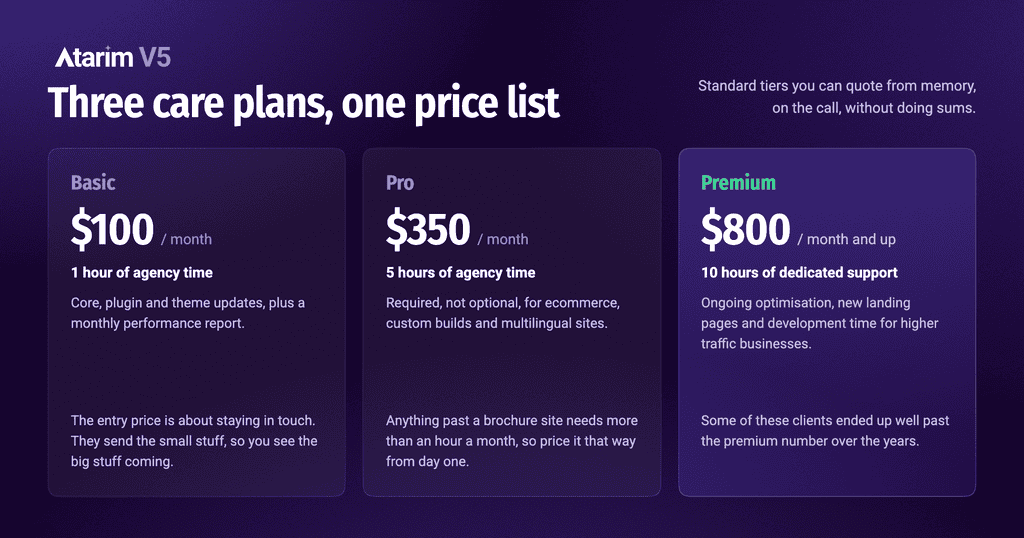
The basic plan sat at around $100 a month and included one hour of agency time, the core, plugin and theme updates, and a monthly performance report. A plan this cheap doesn’t sound exciting at first, but the entry price is really about staying in touch. Clients had somewhere to send the small stuff, so they sent it, and I stayed close enough to see what they were working on. When their needs grew, the bigger project didn’t feel like a hard sell. It was the logical next step for the person who already handled their site.
The pro plan was around $350 a month for five hours of agency time every month, and I made this one a requirement rather than an option for anything that was ecommerce, custom-built, multilingual, or otherwise beyond a straightforward brochure site.
The premium plan started at around $800 a month with ten hours of dedicated support, and it was aimed at higher-traffic businesses that needed ongoing optimisation, new landing pages and development time as we built out new sections for them. Some of those clients ended up well past the premium number over the years.
Those figures still sit inside the market range, which is worth knowing so you can price with some confidence.
Published plans from agencies and maintenance providers tend to cluster around $20 to $95 a month for basic set and forget updates, $150 to $300 for a standard plan that adds security response and a small amount of development time, and $300 to $1,000 or more for premium tiers with response time commitments and real included hours.
White-label WordPress maintenance providers, meaning the ones who do the technical work behind your brand while the client only ever deals with you, start around $39 to $99 per site per month for basic tiers and climb from there as you add support hours, with the per-site cost dropping as you add volume.
Do not price by looking at those ranges and picking a number in the middle, though. Price from your own cost to serve, which is the arithmetic we did earlier, run the other direction. Take the honest time a site on that tier costs you per month, multiply it by your real hourly rate rather than the one you wish you charged, and then decide what margin you need on top for the plan to be worth running at all. If a basic tier costs you forty minutes at $85 an hour, your floor is around $57 before margin, and selling that plan at $49 to look competitive means you are paying for the privilege of having the client.
One more thing, and Kristina Romero and Troy Dean have both built a lot of their training around this. Pricing a care plan too low does not make it easier to sell, it makes it easier to cancel, because a client who is paying you $29 a month has been told by the price itself that this is a disposable extra.
The move that changed my care plans completely
For years I treated unused hours as pure margin, which is exactly the empty gym membership thinking I opened with. If a client on the pro plan did not use their five hours, that was five hours of free money.
Then I flipped it and it was the best decision I ever made.
If a client had not used their time by the third week of the month, I went looking for somewhere to spend it.
I would run through their site performance, their security posture, their conversion paths, the pages that had quietly gone stale since launch, and I would come back to them with something along the lines of “we noticed your product pages were loading slowly on mobile, we fixed it, here is the before and after, there is nothing you need to do.”
Sometimes it was tiny, and it almost never mattered how big it was.
What it did was change what I was to them, because an agency that only appears when something breaks is a supplier, and an agency that turns up first with a problem already solved is a partner.
Those are the clients who referred me, who moved up tiers on their own over a couple of years, and who stayed through budget reviews that killed other line items.
Care plans turned out to be one of the most stable forms of recurring revenue I have ever had, because once somebody is on a plan and you are doing a good job, they do not want to think about it again.
How to run all of this without adding staff
A few things that made a huge difference for me, in rough order of how much time they gave back.
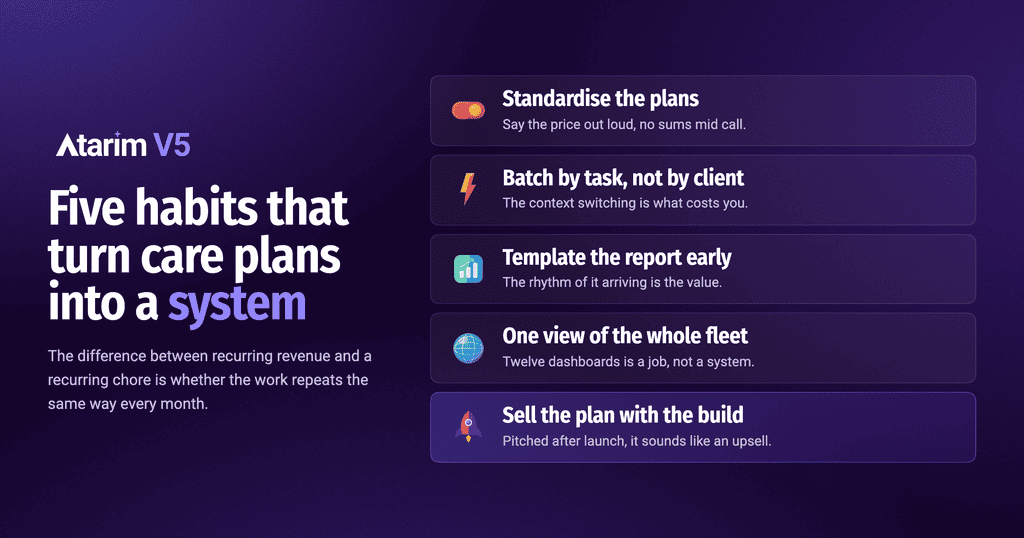
Standardise the plans so you are not designing a bespoke arrangement for every client, which makes them easier to sell (you say the price out loud with confidence, because you are not doing sums in your head mid call), easier to deliver, and dramatically easier to hand to somebody else later without training them on twelve different exceptions.
Batch by task rather than by client. Doing every backup check across every site in one sitting is far faster than working through clients one at a time, because the context switching is what costs you, not the clicking.
Template the report before you need it, and make it boring and identical every month, since the point is the rhythm of it arriving rather than the prose inside it.
Put every client site in one place where you can see status across the whole fleet at a glance, because the moment you are logging into twelve dashboards to find out whether anything is wrong, you have built a job for yourself instead of a system.
Include the plan in the original project proposal rather than pitching it after launch. A care plan presented at the end of a build sounds like an upsell you thought of on the way out.
The same plan presented alongside the build sounds like how professional websites work, which is the truth, and it is also the version clients say yes to.
How Atarim can help you with this
Everything above still leaves you with one hard problem, which is that noticing things across a fleet of client sites is skilled work and it does not batch.
You can automate an update. What is harder to automate is the round of checks that catches “this client’s contact form has been silently failing for nine days” or “the layout on their pricing page broke on mobile after the last theme release.”
Except the knowing-what-to-look-for part was never really the hard bit. Most of us already know. It is written down somewhere, or it lives in your head, and it gets done properly in month one and then slips by month four.
So I took over ten years of agency experience, mine and everything I have picked up from talking with you all, and built it into workflows inside Atarim. The systems that separate the agencies with real margin from the ones just staying busy.
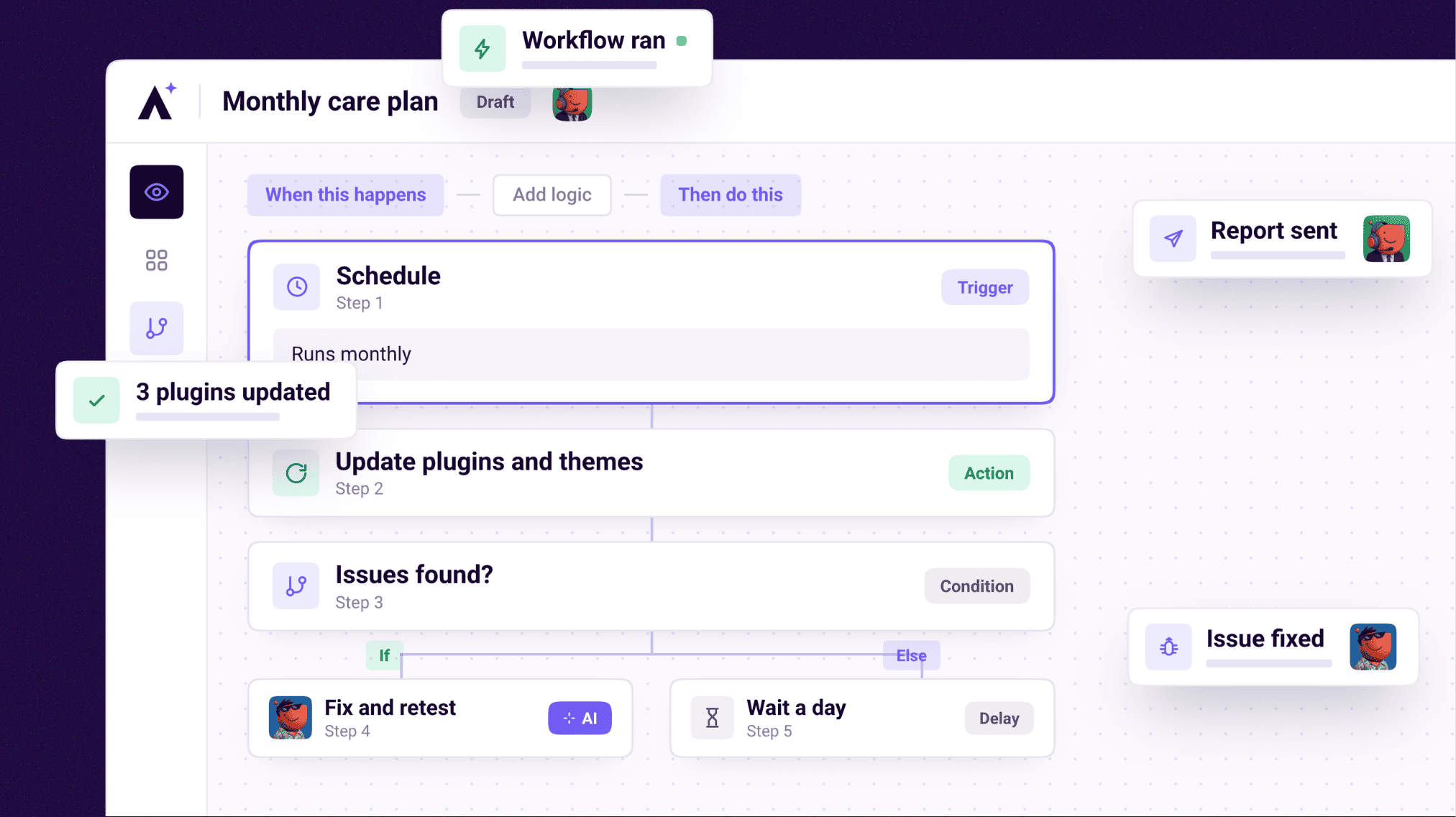
Pre-launch QA. Monthly client reports. Update rounds and security scans. Content refreshes to win back rankings that slipped. There are more than I can list here, and you can point any of them at a client site today.
The crew runs them. Index on SEO and performance, Navi on accessibility, Glitch on functionality, Pixel on design, Lexi on content. When a workflow turns something up, it does not just flag it and wait for you. It drafts the fix and puts it in front of you with a plain description of what was found and what changing it would do.
You approve it or you send it back. It goes out under your brand and your name, and the client hears from you rather than from us.
Which means the unused hours move that changed my care plans stops depending on you remembering to do it in the third week of the month. It becomes a workflow that runs, and your judgement stays where it belongs, on deciding what is worth sending.
That is how a single person can credibly run tier-one care plans across thirty client sites without the plan turning into a full-time job, and without hiring somebody to do the watching.
Take me to the workflows high-margin agencies are running
So here is my question for you, and I am asking it honestly because I got this wrong for years. What is sitting in your care plans right now that the client has never once seen, and what would change if you showed them? 🤘